Showing posts with label mac. Show all posts
Your Ad Here

  • Are you blessed with a Macintosh to experience the brighter side of computing but are still trying to forget your Windows XP box?
  • Are you a Mac techie who wants to run some software which is released only to Windows XP systems and not yet entered the Mac world?
  • Are you wanting to fascinate your friends with showing your skills by doing a dual boot?
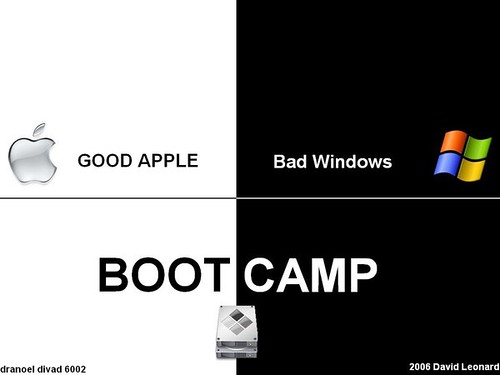
bootcamp+Mac --> Mac + Windows XP  ..logo
Whatever your motive is, if you want to run a Windows XP system along with a Mac OS in a Macintosh computer, then the best possible option for you is Apple's Boot Camp.The Bootcamp lets you install Windows XP on a Macintosh system and do dual boot.

So if you want to install Windows XP on a Mac using bootcamp, then follow the below steps:

  1. Download latest version of Mac OSX(currently 10.5.5) and the firmaware updates from the Apple Site .
  2. Create a Macintosh drivers CD by running BootCamp Assistant.These drivers are very important.So check once again if the CD has been properly written.
  3. Create a hard-disk partition so that Windows can be installed on it.Make sure the partition has a size ideally 10GB.This will provide sufficient storage for windows to install the OS and some required software.
  4. Now insert your Windows XP setup CD and start the installation.When asked to select the hard disk partition select C drive.Format it using FAT.NTFS format is not readable by Mac and hence to access the Windows XP drive from Mac , you have to format as a FAT partition.
  5. Wait for the XP installation to get on.Once the XP installation is complete, your system will be restarted by BootCamp in Windows XP automatically.
  6. Now take the Macintosh Drivers CD created in step 2 and install the Mac drivers.The drivers are extremely essential for your hardware to function properly.
That is all you have to do to get Windows installed on your Mac.The next time you boot you will be booted by default into windows.To boot into Mac press ALT key while booting up.

Simple tip to Block all the ads

Your Ad Here

If you want to remove ads which waste lot of your time and bandwidth from webpages, then here is a technique for you.I hope it will help you a lot.
Whenever you go to a webpage the ads it generates are from some specific sites on the internet.Now the site has been given a domain name like googlesyndication.com .If somehow you could make your computer to go to some other site instead of googlesyndication,then you could escape google ads.Similar is the case with others. The most common way to do this is by using a file called "hosts file". The hosts file contains a list of domain names and their corresponding IP addresses, which our windows OS looks at every time we go to a site. If it finds entry for the domain name, it sets the IP address for that domain name to be whatever is in the hosts file.

127.0.0.1 is a special IP address which always means that the computer itself. Any time a machine sends a request to 127.0.0.1, it is talking to itself. This is very useful in our present case, because all we have to do is specify the IP address of any ad server to be 127.0.0.1. And for that, we have to edit the hosts file.

So for doing it first find out your "Hosts file".See your hosts file according to here.

*Windows 98/Me:C:\Windows/hosts
* Windows NT: C:\WinNT\hosts
* Windows NT/2000/XP Pro: C:\WinNT\system32\drivers\etc\
* Windows XP Home,Vista: C:\Windows\System32\drivers\etc
* FreeBSD / Linux / Mac OS X / Unixish operating systems: /etc/hosts

The format of the hosts file is very simple - IP address, whitespace, then a list of hostnames .
The following file contains all the mappings required.All you have to do is this:

Find your hosts file from above and add the contents of this text file in a new line in the same pattern.

That's all you have to do and your comp is rid of all those nasty ads.If you want any ads just remove the line corresponding to it.I prefer you remove google's entry i.e., 127.0.0.1 googlesyndication.com because I use google ads to sponsor myself and also google ads are very simple that they don't waste your bandwidth.But anyway it's your wish in the end :)

Recent Entries

Recent Comments

Recommended Money Makers